Burning Bridges AI
Video Generator
Upload one photo and get a 6-second clip where you own the scene. No prompt, no timeline.
Pay per clip · From $4.99 · Failed clips never charge
Create Your Party Clip
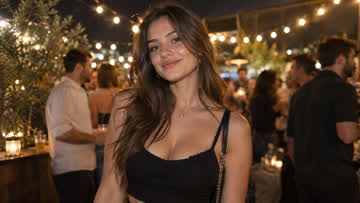
Upload one photo, then render the Burning Bridges party clip with you as the lead.
Use a recent, front-facing photo with even lighting and one person in frame.
The clip keeps the scene's original audio style. Failed generations never charge you.
How the Party Clip Gets Made
Three steps. No prompt writing, no timeline, no editing skills.
Upload one photo
Any clear, front-facing photo works. We'll handle the rest.
We render the scene
The party scene is already prepared — no prompt writing, no picking.
Download your clip
Get a 6-second 720P video, watermark-free.
One photo in,
one clip out
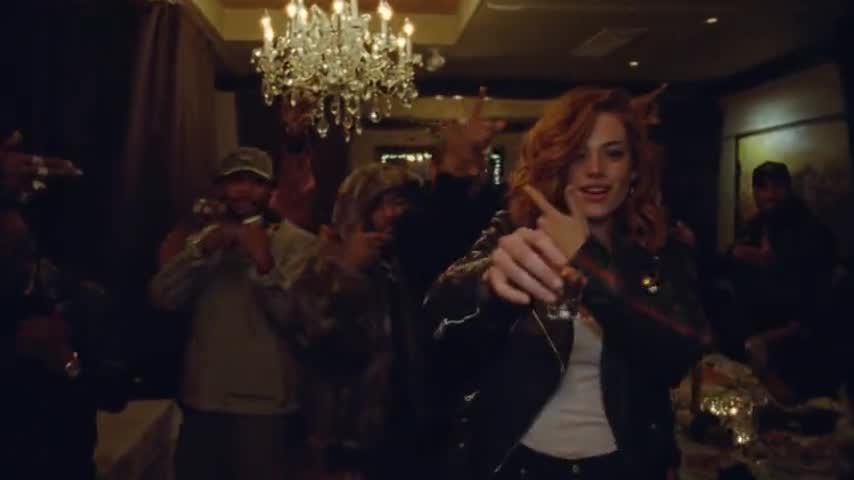
The scene never changes — that's the trick. Your photo replaces the lead performer while the party, the camera move and the audio stay exactly as the trend made famous.
Face, hair and outfit come from your photo; the motion comes from the template.
Your clip carries the same audio feel as the template — it just sounds right.
See the Template and Finished Renders
Straight renders from the template, made from our own photos — never taken from other sites or the original video.
Get a better result from the first upload
A little care in the photo makes the clip noticeably better.
Photo quality
Clear, sharp, even lighting. No sunglasses, no heavy shadows.
What to upload
One person per photo, facing the camera. A shot where the back of your outfit is visible works best.
Resolution
Every clip renders in 720P — crisp on every feed, no tiers to think about.
Pay when you create. No subscription.
Unused clips never expire, and failed generations never charge you. Pick a pack when you create your first clip — or see all packs.
Starter $4.99 · Creator $11.99 · Studio $17.99 · Scale $49.99 — from $3.33 per clip
Frequently Asked Questions
How do I make a Burning Bridges AI video?
Is it free?
Do I need to write a prompt?
Can I download my video without a watermark?
How long does generation take?
What photo works best?
Is this the same as the Drake Burning Bridges video?
Make your Burning Bridges clip
One photo is the whole ticket. Pick a pack and make yours.
Create Video